

LTX 2.5 is noticeably better than LTX 2.3 in several areas, especially speed, environments, audio, and character consistency.
I also pushed it with harder action scenes. That exposed the main weakness that is still there: complex physics and destruction can break.
I tested Text-to-Video, Image-to-Video, multishot generation, dialogue, GGUF, First and Last Frame, three-frame control, Prompt Enhancer, and the new Duration Predictor.
LTX 2.5 Action and Physics Test
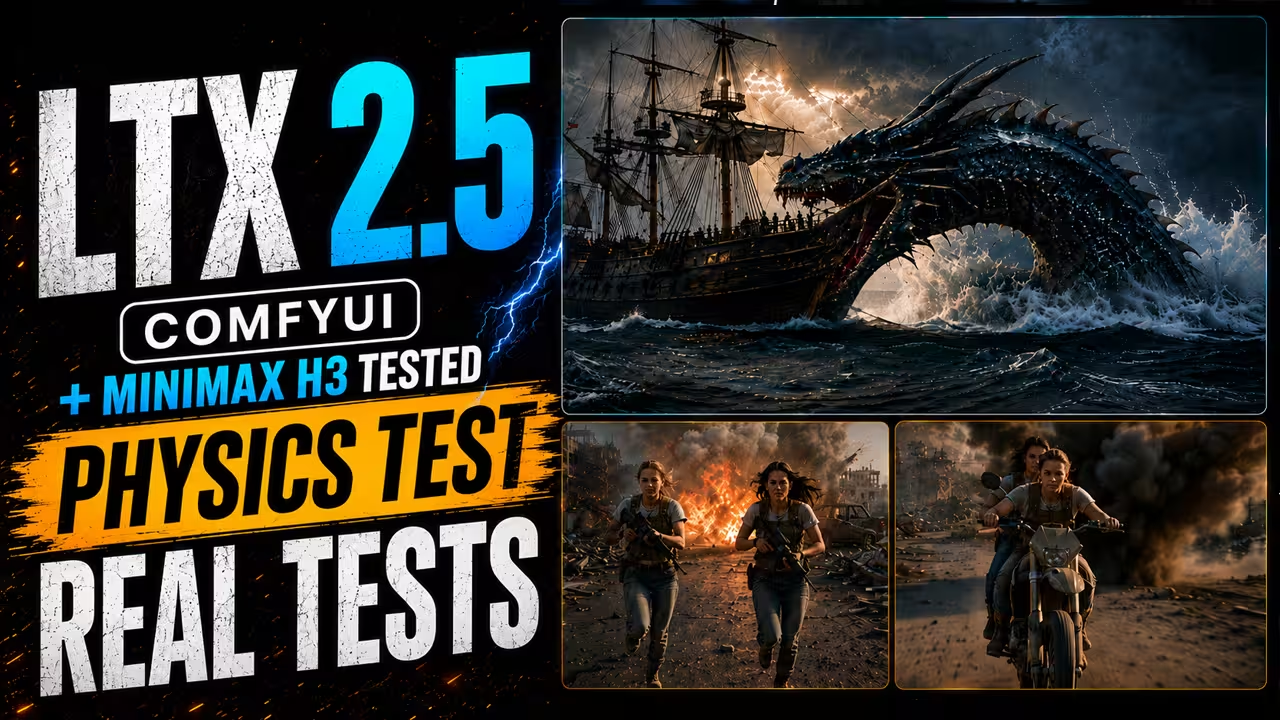
My first test was a difficult action scene with a dragon attacking a ship.
The ocean water looked much more natural than what I saw with the older LTX version. Audio was another strong point. The ocean, movement, and sound worked well together.
The weak part was the destruction.
When the dragon hit the ship, the ship broke apart, but the impact and destruction did not always feel physically natural.
I generated a similar scene with MiniMax H3. In this particular test, MiniMax H3 handled the impact and destruction physics better.
I saw similar problems in a crowded war scene. LTX 2.5 created a strong environment, but small details, explosion particles, and the interaction between the characters and a bike started to break.
So LTX 2.5 has improved, but difficult physical interactions are still an area where I would test several generations.
My Main LTX 2.5 ComfyUI Setup
For most of my testing, I used the distilled INT8 setup.
My workflows include:
- Text-to-Video
- Image-to-Video
- First Frame and Last Frame
- First, Middle, and Last Frame
- Multishot generation
- GGUF for a lower-memory option
LTX-2 is designed as a unified audio-video model, so it can generate video and synchronized audio together. The official Lightricks repository also supports automatic prompt enhancement and provides ComfyUI integration.
Prompt Enhancer: Useful, but Not for Every Scene
My workflow includes the Generate LTX2 Prompt node.
This Prompt Enhancer uses an additional Gemma model. If VRAM is limited, you can bypass it and write your prompt separately.
For a simple Text-to-Video test, Prompt Enhancer worked very well.
My original prompt did not describe every audio detail. With Prompt Enhancer enabled, the generated prompt added more information, including the sound of rain.
The final video looked and sounded better.
However, I got a different result with multishot generation.
When I enabled Prompt Enhancer for my multishot prompt, it changed the structure I wanted. For that workflow, I preferred keeping it disabled.
My rule is:
Use Prompt Enhancer for simple prompts when you want more detail. Disable it when you have already written precise timing, cuts, dialogue, or camera instructions.
Lightricks officially supports automatic prompt enhancement in its LTX-2 pipelines.
Native Multishot Generation
One of my favorite LTX 2.5 tests was multishot generation.
I created three connected shots:
- Wide shot
- Hard cut to a medium shot
- Hard cut to a close-up
After each cut, I repeated only the details that needed to stay consistent.
For example, I kept the same woman, yellow raincoat, and rainy neon street.
You do not need to repeat the complete prompt after every cut. Repeat the important continuity details, then describe what changes.
At lower resolution, the woman’s face was weak when she was far from the camera.
After increasing the resolution, the distant face became much cleaner.
Compared with my LTX 2.3 tests, LTX 2.5 also did a better job of keeping the same face through the complete multishot sequence.
The Duration Predictor Is More Useful Than I Expected
LTX 2.5 also has an optional duration-head model that can estimate how much time a prompt needs.
This became useful very quickly.
In one multishot test, I manually selected 5 seconds.
The medium shot did not have enough time to appear properly.
The Duration Predictor estimated that the prompt needed about 6 seconds.
With that extra time, the medium shot appeared properly and the final close-up also had enough room.
I saw the same thing with dialogue.
I created a scene with a father and daughter sitting across a table with a repaired blue mug. The scene contained several lines of dialogue and character interaction.
I manually selected 15 seconds.
Around nine seconds, the scene almost stopped even though the requested video was longer.
The Duration Predictor estimated about 19 seconds for that prompt.
The longer generation gave the dialogue and actions more space to develop.
But the predictor is not always automatically correct.
For a First Frame and Last Frame transition, it gave me an 18-second result that had several physics problems. Testing the same transition at around 10 seconds produced a cleaner result.
So I use the Duration Predictor as a good starting estimate, not a setting that I follow blindly.
GGUF for Lower VRAM
I also created a GGUF version of the workflow for people who cannot comfortably run my normal setup.
For my test, I used a Q4 GGUF model.
It worked.
However, if you have enough memory, I would still choose the distilled INT8 model.
In my setup, the model-size difference was only around 5 GB, and I preferred the output from distilled INT8.
GGUF is still useful when memory is the main limitation, but I would not choose it only because the file is smaller.
Image-to-Video Works Very Well
My first Image-to-Video test used a woman standing beside a train on a rainy platform.
She held a ticket and phone.
The prompt asked her to look toward the train, followed by a slow camera push-in. The train then started moving beside her.
LTX 2.5 followed that sequence very well.
The character action, camera movement, and train movement all matched the prompt closely.
For this workflow, I kept Prompt Enhancer disabled because I had already written the timing and camera instructions exactly as I wanted them.
Dialogue and Longer Scenes
I then tested a more difficult two-person dialogue scene.
The father slides a repaired blue mug toward his daughter and says:
“I fixed it.”
She touches the repaired crack and responds.
The prompt contained several dialogue exchanges instead of a single line.
Closer shots looked particularly good. Facial expressions were also strong.
The main problem was timing. This was another case where the Duration Predictor helped because my manually selected duration did not give every action enough room.
For dialogue scenes, I would test the predicted duration before deciding the final video length.
A LTX 2.3 LoRA Helped My Physics Test
I also tested an older LTX 2.3 LoRA with LTX 2.5.
I used a strength of:
0.5
In my war-scene test, this improved some of the physics.
It did not completely solve the problem, but the result was noticeably better than some of my earlier attempts.
This is one of my own experimental findings. I would not treat 0.5 as a universal LTX 2.5 setting.
First Frame and Last Frame
The First Frame and Last Frame workflow lets you control both ends of a sequence.
In my example, the first image showed a woman outside a train with a blue suitcase.
The last image showed the same woman sitting inside the train beside the window.
The prompt described everything that needed to happen between those frames.
LTX successfully moved the scene from the platform to the inside of the train.
However, this difficult transition also showed LTX 2.5’s remaining physics problems.
Parts of the train geometry moved strangely. A handle appeared unexpectedly, and the door movement was not completely natural.
A shorter 10-second version looked better than my first 18-second attempt.
The model can connect difficult first and last frames, but complicated interaction with doors, seats, vehicles, and other objects can still cause errors.
First, Middle, and Last Frame Control
I also created a three-frame workflow.
Instead of giving LTX only a starting and ending image, I can provide:
First Frame → Middle Frame → Last Frame
The middle frame gives another visual anchor inside the sequence.
This is useful when the change between the starting and ending images is too large for a single transition.
The Settings I Would Start With
Based on my tests:
| Workflow | My starting choice |
|---|---|
| Main model | Distilled INT8 |
| Simple Text-to-Video | Try Prompt Enhancer |
| Controlled Image-to-Video | Prompt Enhancer off |
| Multishot | Prompt Enhancer off |
| Complex dialogue | Test Duration Predictor |
| First/Last Frame | Test predicted and manual durations |
| Low-memory system | Try Q4 GGUF |
| Difficult physics | Expect several tests |
| Experimental physics fix | LTX 2.3 LoRA at 0.5 worked better in my test |
These are my tested starting points, not official universal defaults.
Is LTX 2.5 Better Than LTX 2.3?
From my testing, yes.
The biggest improvements I noticed were:
- better environments;
- more natural water;
- strong synchronized audio;
- better multishot character consistency;
- very fast generation;
- useful duration prediction;
- more flexible frame control.
But LTX 2.5 is not perfect.
Complex destruction, crowded action, object interactions, and difficult scene geometry can still produce unnatural results.
MiniMax H3 handled the destruction physics better in one of my direct comparisons, while LTX 2.5 remained much faster and performed very well in several controlled scenes.
For me, that is the main reason to use LTX 2.5: it is fast enough to test many ideas while giving noticeably better consistency and control than the older LTX version.
For normal Text-to-Video, Image-to-Video, dialogue, and multishot work, I would start with distilled INT8. I would use GGUF only when memory is a real limitation, and I would always test difficult physics before relying on the first generation.
Testing source: My LTX 2.5 ComfyUI workflow and generation tests.
Official reference checked: Lightricks LTX-2 repository, verified 14 August 2026. The repository confirms the broader LTX-2 audio-video architecture, prompt enhancement support, and ComfyUI integration.

